
AI Automation for Small Business: Cut Admin Hours with LLM Agents
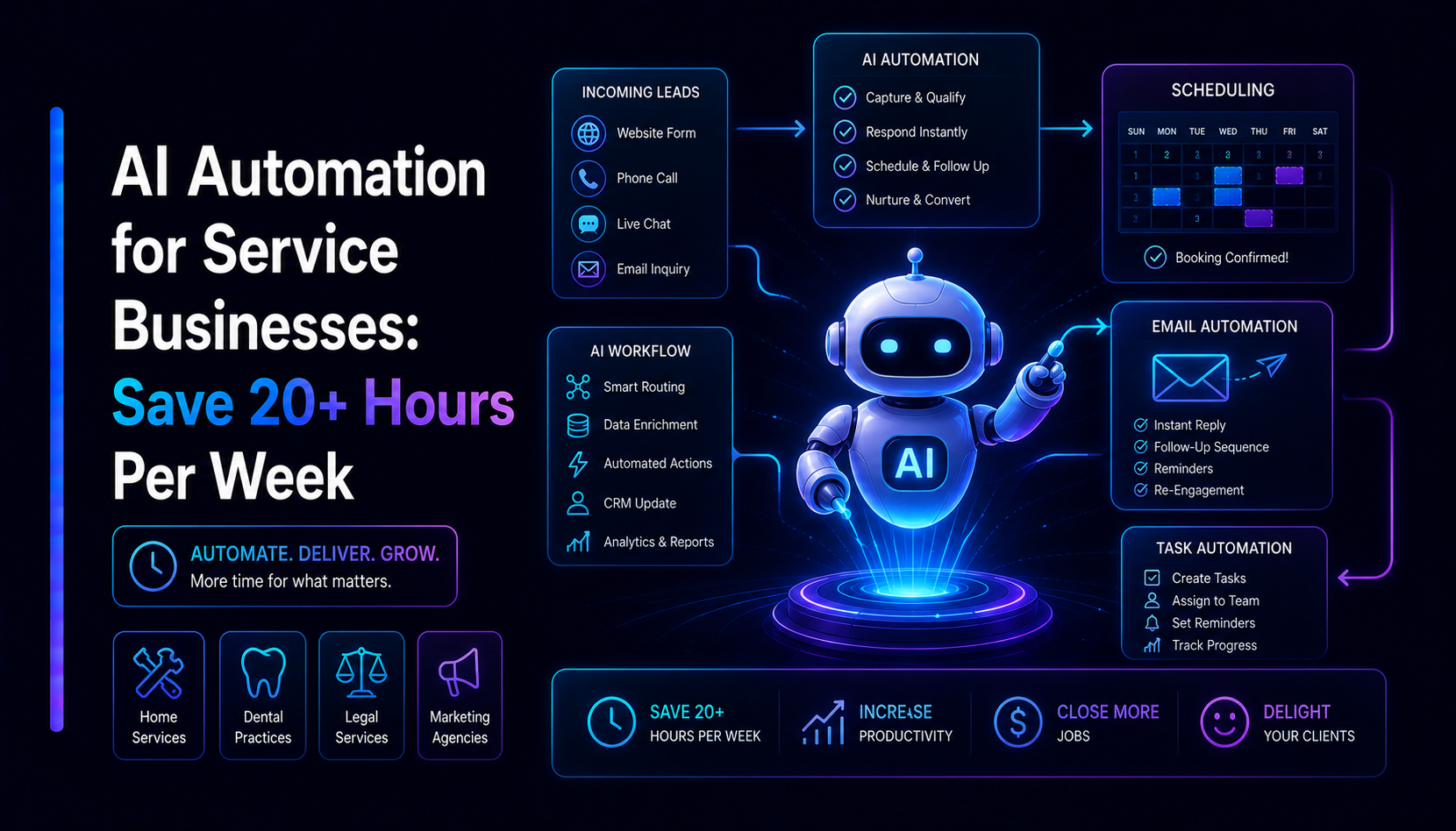
Service businesses run on admin: intake forms, triage, follow-ups, scheduling, and a mountain of documents. None of it is the actual service — it is the tax you pay to deliver it. AI automation for small business has matured to the point where LLM agents can absorb a large share of that tax, freeing skilled people for the work clients actually pay for. This guide explains what an agent really is, the five automations with the clearest return, how to wire them into the tools you already run, and how to roll it out without betting the company on it.
The hidden admin tax in service businesses
In most agencies, clinics, law and accounting firms, recruiters, and property managers, expensive people spend a meaningful slice of every week on work that is not the service. It usually shows up in four buckets:
- Intake. Reading enquiries from email, web forms, WhatsApp and DMs, then re-typing the details into a CRM, a spreadsheet, or a case file.
- Triage. Deciding how urgent each request is, which service line it belongs to, and who should own it — then routing it there.
- Follow-up. Chasing quotes, unsigned documents, no-shows, and stalled threads that quietly leak revenue when nobody circles back.
- Document handling. Pulling key fields out of contracts, invoices, and intake forms, and condensing long files into something a person can act on.
This work is repetitive, rules-based, and text-heavy — which is exactly what modern language models are good at. The opportunity is not to replace judgement; it is to remove the typing, sorting, and copying that surrounds the judgement.
What an AI agent actually is — vs a chatbot vs a script
The words get used loosely, so it helps to be precise about LLM agents for business and how they differ from the things they are often confused with:
- A script follows fixed steps. It is fast and predictable, but it breaks the moment input is messy or a rule has an exception — and real client communication is nothing but exceptions.
- A chatbot talks. It can answer questions in a chat window, but it does not reach into your CRM, move a deal stage, or file a document. When the conversation ends, so does its usefulness.
- An agent reads a request, reasons over it, looks something up, drafts an action, and — within the limits you set — completes it across your tools. It handles free text, makes a judgement, and then does something with the result.
Autonomy is a dial, not a switch. Start with the agent suggesting and a human approving. Widen its autonomy only on the specific tasks it has proven it gets right.
That dial is the whole safety story. A well-built agent never has more reach than you grant it, and every step it takes is logged. You can ship it in "draft only" mode on day one and graduate individual actions to full automation as confidence grows.
Five high-ROI automations for service businesses
You do not need a sweeping AI strategy. You need one or two workflows automated well. These five consistently return the most hours for the least risk.
1. Inbound lead qualification and routing
An agent reads every inbound enquiry — web form, email, or chat — extracts the structured details (name, company, budget signal, service requested, location), scores fit against your criteria, and performs AI lead routing: it creates or updates the CRM record, tags it, and assigns it to the right owner or queue. Hot leads get a drafted first reply within seconds instead of sitting in a shared inbox overnight. Poor-fit enquiries get politely deflected so your team's time goes where it converts.
2. Support triage and drafted replies
The dependable way to automate customer support with AI is triage-and-draft, not blind auto-reply. The agent classifies each incoming message, pulls the relevant order, account, or case context, and writes a suggested response a human approves with one click. Repetitive questions — hours, status, "where is my X" — are answered in seconds; anything ambiguous, emotional, or sensitive is flagged and escalated to a person. Customers feel the speed; your team keeps control of tone and accuracy.
3. Meeting and notes summarization
Discovery calls, client check-ins, and internal stand-ups produce transcripts nobody has time to revisit. An agent turns each transcript into a tight summary, a list of decisions, and a set of action items with owners — then drops them into the CRM record or project tool automatically. The institutional memory that usually evaporates between meetings becomes searchable and actionable.
4. Document and contract extraction
This is where document processing automation shines. Contracts, intake forms, invoices, and reports arrive as unstructured PDFs and scans. An agent reads them, extracts the fields you care about — parties, dates, amounts, renewal terms, key clauses — into a structured record, and summarises long files into a one-paragraph brief with a link back to the source. Renewal dates stop slipping; data entry stops eating afternoons.
5. A private FAQ assistant on your own data (RAG)
Generic chatbots hallucinate because they answer from training data, not from your reality. Retrieval-augmented generation (RAG) fixes this: the assistant answers questions from your own documents — policies, SOPs, past proposals, product docs — and cites where each answer came from. Staff stop interrupting each other to ask "how do we handle X again?", and new hires get accurate answers without a senior person playing help desk. The same engine can power a customer-facing FAQ once it has proven itself internally.
Connecting AI to the tools you already run
The biggest misconception about automation is that it means new software. It is the opposite. Agents sit on top of the systems you already use and move work between them through standard APIs and webhooks:
- CRM — create and update records, move deal stages, attach notes and summaries.
- Email — read inbound mail, draft replies, file and label threads.
- Slack / Teams — post alerts, request approvals, and answer questions in channel.
- WhatsApp and chat — receive messages, triage them, and route the conversation to the right human.
- Spreadsheets and sheets — append structured rows so reporting stays current without manual entry.
A webhook fires when something happens (a form is submitted, an email arrives), the agent does its work, and it writes the result back through an API. Nothing is ripped out; the manual copy-paste between systems simply disappears. This is the kind of glue we build into our software and SaaS engagements, and it often pairs with the customer-facing front end delivered through our web development work.
Data privacy and control come first
Trust is the whole product in a service business, so the data design matters more than the model choice. A responsible build relies on a few non-negotiables:
- Scoped access — each agent and task only sees the data it strictly needs, never the whole database.
- Minimal retention — process what is required, keep only what has a reason to be kept, and delete the rest.
- Full audit trail — every action the agent takes is logged, so you can review and reverse it.
- Provider control — sensitive workloads can run on models and endpoints that do not train on your inputs, with regional data handling where compliance demands it.
Done this way, automation can be more consistent and auditable than manual handling — because a human's copy-paste leaves no log, while an agent's every step does.
A pragmatic rollout: one workflow, measure, then scale
The teams that succeed with AI do not boil the ocean. They follow a tight loop:
- Pick one workflow — the single task that drains the most hours and has clear inputs and outputs. Lead routing and support triage are common starting points.
- Ship it in draft mode — the agent suggests, a human approves. You get the speed benefit immediately with zero risk of an unreviewed action.
- Measure honestly — track time saved, accuracy on approved drafts, and how often a human had to override. Let the numbers, not the hype, decide what happens next.
- Graduate and expand — promote the actions the agent reliably gets right to full automation, then add the next workflow on the same foundation.
Each new automation reuses the connectors, logging, and guardrails you built for the first, so the second is faster to ship than the first and the third faster still. That compounding is where custom AI agent development earns its keep — the platform you build once keeps paying off as you add workflows.