
How to Add a WhatsApp Button to Your Shopify Store (Free, No-Code) — 2026
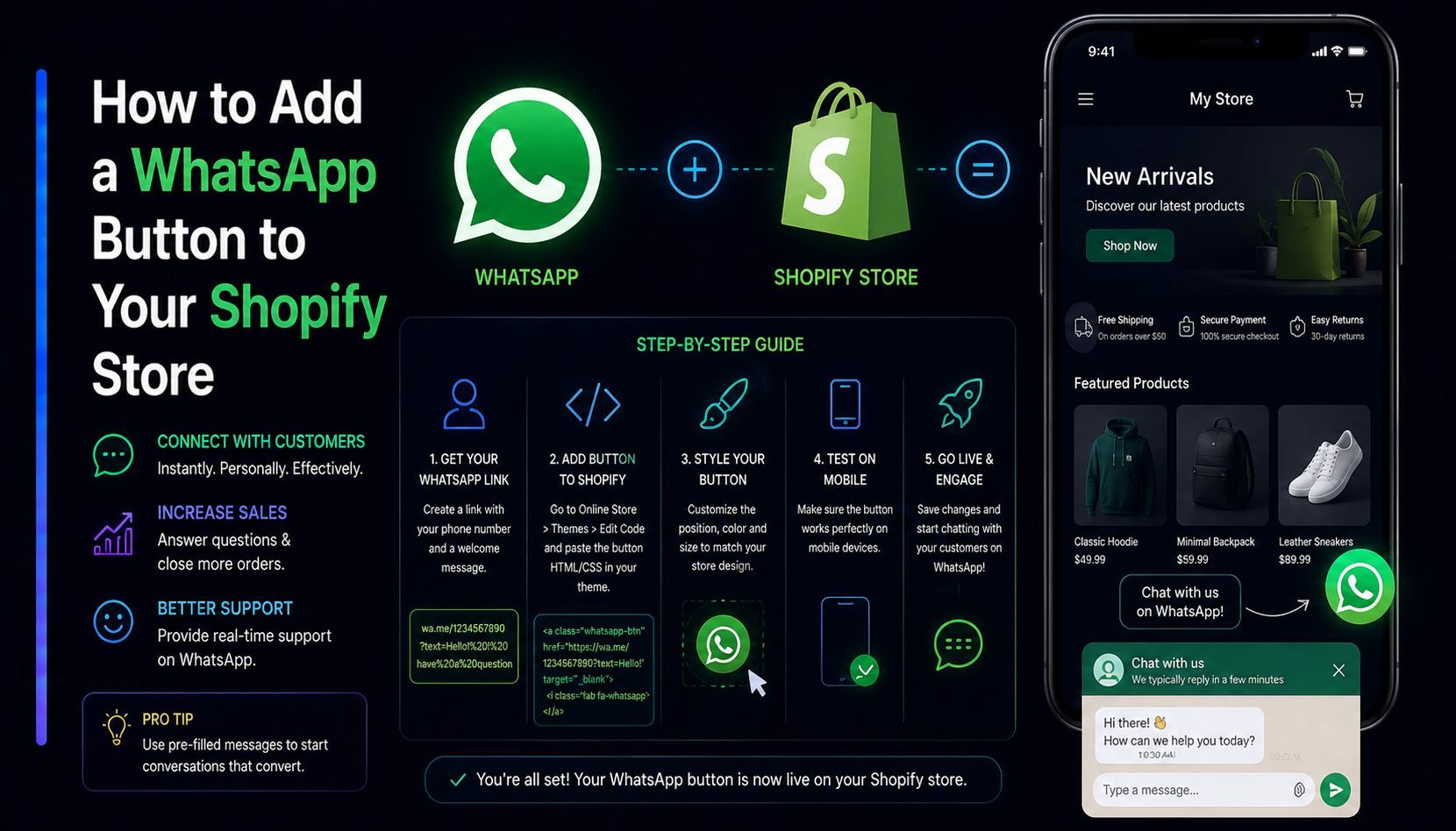
A WhatsApp button is one of the highest-converting additions you can make to a Shopify store. Shoppers — especially on mobile and in WhatsApp-first markets like the UK, UAE, Pakistan and across MENA, LATAM and South Asia — would rather tap "Chat on WhatsApp" than fill out a contact form and wait for an email. This guide shows you the two ways to add one in 2026: the fast, free, no-code app-embed method, and the manual wa.me approach for full control.
Why a WhatsApp button beats a contact form
Contact forms create friction: the shopper types their question, hands over their email, then leaves and hopes for a reply. WhatsApp collapses that into a single tap into a chat they already use every day. The payoff is real:
- Higher reply rates. WhatsApp messages are opened far more often than marketing emails, and conversations feel personal rather than transactional.
- Faster pre-sale answers. "Does this ship to my country?" gets answered in seconds, recovering carts that a form would have lost.
- Mobile-native. The majority of Shopify traffic is mobile, and a tap-to-chat button fits how people actually shop on a phone.
- Trust. A real human on the other end reassures first-time buyers more than an autoresponder ever will.
The two ways to add a WhatsApp button to Shopify
There are exactly two approaches, and the right one depends on how much control you want versus how much time you want to spend.
1. Install an app (recommended, no code)
An app like the MatrixInn WhatsApp Floating Button adds a polished, customizable button through Shopify's theme app-extension system. You enable it from the theme editor, so it works on every Online Store 2.0 theme and survives theme updates — no Liquid editing, nothing to break. The Free plan is $0/month, and it stores zero customer data.
2. Hand-code a wa.me link
If you only need a single static link, you can drop a wa.me URL into a theme section or a custom Liquid block. It's free and dependency-free, but you own the styling, the mobile/desktop logic, and every future fix yourself.
Here's a quick comparison:
- App embed — Setup in ~2 minutes · floating button on every page · color/position/visibility controls · survives theme updates · analytics-ready.
- Manual wa.me — Full code control · no third party · but manual styling, no floating behavior by default, and you maintain it forever.
Step-by-step: add the button with the app (the free way)
- Install the app. From the Shopify App Store, add the WhatsApp Floating Button to your store and open it from Apps.
- Enter your WhatsApp number. Use full international format with the country code and no symbols — e.g.
447911123456(UK),971501234567(UAE),14155552671(US),923001234567(PK). - Write a pre-filled message. Something like "Hi! I have a question about my order" so the chat opens warm and on-topic.
- Enable the App Embed. Go to Online Store → Themes → Customize → App embeds, toggle the WhatsApp button on, and Save.
- Preview your storefront. The floating button appears in your chosen corner. Tap it to confirm it opens WhatsApp with your number and message.
That's it — a working WhatsApp channel on every page, in about two minutes, for free.
Customizing it for your brand
A button should feel like part of your store, not bolted on. With the app you can set:
- Color & icon — match your brand or keep the familiar WhatsApp green for instant recognition.
- Position — bottom-left or bottom-right, with spacing that clears your cart drawer.
- Device visibility — show it on mobile, desktop, or both.
- Greeting & pre-filled text — set expectations and route the conversation.
GDPR & data: why "stores nothing" matters
Any third-party script you add to checkout-adjacent pages is a privacy surface. The safest WhatsApp button is one that collects and stores no customer data at all — it just opens a chat. That keeps your privacy policy simple and your store compliant in the EU/UK. The MatrixInn WhatsApp Floating Button is built exactly this way; you can read the specifics in our privacy policy.
Troubleshooting: button not showing or not opening
- Button not visible? The app embed is probably off, or you saved it in a theme that isn't published. Re-enable it in the live theme, Save, and hard-refresh (Ctrl/Cmd + Shift + R).
- Click doesn't open WhatsApp? Almost always a number-format problem — drop the
+, spaces and dashes and use country code + number only. - Settings won't update? Clear cache or test in a private window; CDNs can serve a stale storefront for a few minutes.
Our Help Center has a complete setup-and-troubleshooting checklist if you get stuck.
WhatsApp Business vs regular WhatsApp
For any serious use of WhatsApp as a sales or support channel, you should be using WhatsApp Business rather than a personal account. WhatsApp Business (the free app) adds a business profile with your hours, address, and website link; automated greeting and away messages; and quick-reply templates for common questions. WhatsApp Business API (the platform tier, for higher volume) adds CRM integrations, multiple-agent inboxes, and broadcast messaging — useful once your volume grows beyond what one person can handle manually.
The floating button on your Shopify store opens a wa.me link that works with either. Set up WhatsApp Business first, use its greeting message to set expectations about response time, and your conversation quality improves immediately.
Using WhatsApp for abandoned cart recovery
WhatsApp's open rates — typically 90%+ within the first few hours — make it a powerful channel for recovering abandoned carts, particularly in markets where WhatsApp is the primary messaging app. The approach: when a customer abandons their cart and you have their WhatsApp number (from a previous order or a WhatsApp-based opt-in), send a personalised message with the product they left behind and a direct checkout link. Conversion rates on WhatsApp cart recovery consistently outperform email recovery in WhatsApp-primary markets.
Note that proactive outbound messaging requires WhatsApp Business API and pre-approved message templates. The floating button approach is inbound — customers initiate — which requires no special approval and works on any WhatsApp account.
International format: getting the number right
The number-format issue is the most common setup mistake we see. WhatsApp requires numbers in full international format with no spaces, dashes, or plus signs:
- UK:
447911123456(44 = country code, drop the leading 0 from the local number) - UAE:
971501234567 - US:
14155552671 - Pakistan:
923001234567 - India:
919876543210
If the button does not open WhatsApp on tap, this is almost always the cause. Re-enter the number in the format above and test in a private browser window.